Explore Resources
Browse our curated collection of educational tools, simulations, and teaching aids.
Delightex for kid-friendly 3D creation and coding
Delightex provides an engaging platform for students to invent, build, and code their own 3D creations, fostering creativity and computational thinking skills. This versatile tool is accessible across mobile, tablet, and desktop devices, including Chromebooks, making it suitable for diverse learning environments. It empowers kids to develop essential digital skills through hands-on, interactive projects. Teachers can leverage Delightex to enhance learning experiences in computer science and design.
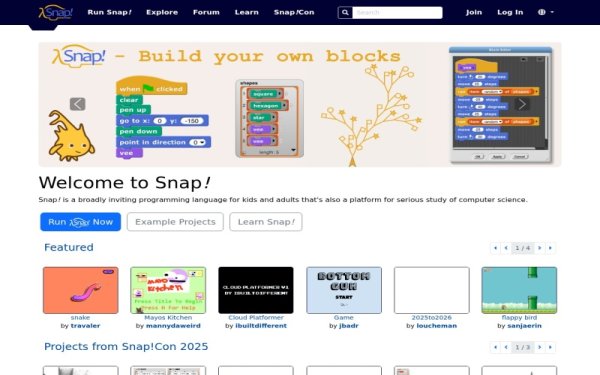
Snap! Build Your Own Blocks
Snap! is a powerful, blocks-based programming language developed by UC Berkeley, designed to introduce students to fundamental computer science concepts. It empowers learners to not only drag and drop pre-defined blocks but also to create their own custom blocks, fostering deeper understanding of abstraction and algorithm design. This interactive platform supports the development of computational thinking and creativity, making complex programming ideas accessible for a wide range of educational levels, including high school and introductory college courses, and is used in AP Computer Science Principles curricula. Snap! is a free, web-based tool, making it easily accessible without installation and allowing students to save and share their projects.

Code a Dance Party | Code.org
Code a Dance Party is an engaging Hour of Code activity that introduces students to fundamental programming concepts through the intersection of music and movement. Students use block coding to choreograph dance routines for diverse characters, learning essential computer science principles like events, loops, and properties. This interactive resource is designed for beginners and includes comprehensive teacher guides to help facilitate a high-interest, hands-on coding session in any classroom.
https://code.org/s/spritelab/lessons/1/levels/1
This Code.org Sprite Lab activity is the first level of Lesson 1, "Introducing Sprite Lab," designed to engage K-5 students with foundational computer science concepts. Learners explore how apps function, discuss the role of technology in their lives, and identify sprites within programs, emphasizing the importance of user choices in design. Teachers can utilize this block-based coding resource to introduce computational thinking skills and basic programming principles in an interactive and accessible format. It serves as an excellent starting point for students to develop early coding literacy and prepare for creating their own animations and games.