Explore Resources
Browse our curated collection of educational tools, simulations, and teaching aids.
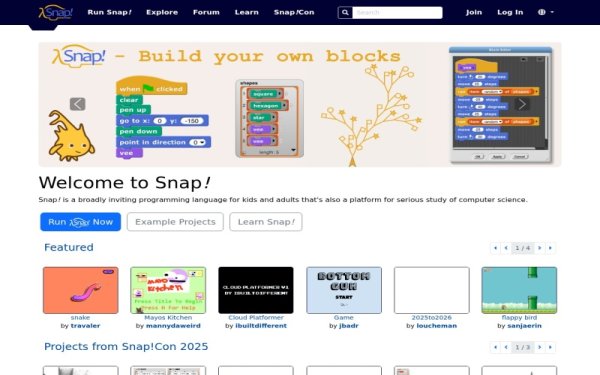
Snap! Build Your Own Blocks
Snap! is a powerful, blocks-based programming language developed by UC Berkeley, designed to introduce students to fundamental computer science concepts. It empowers learners to not only drag and drop pre-defined blocks but also to create their own custom blocks, fostering deeper understanding of abstraction and algorithm design. This interactive platform supports the development of computational thinking and creativity, making complex programming ideas accessible for a wide range of educational levels, including high school and introductory college courses, and is used in AP Computer Science Principles curricula. Snap! is a free, web-based tool, making it easily accessible without installation and allowing students to save and share their projects.

Code.org (Hour of Code)
The Hour of Code, powered by Code.org, is a global movement designed to introduce K-12 students to the fundamentals of computer science through engaging, one-hour tutorials. It offers a wide array of activities from various partners, making coding accessible and fun for all ages and skill levels, even for those with no prior experience. Teachers can easily integrate these free, interactive lessons into their curriculum to foster computational thinking and digital literacy. This initiative serves as an excellent entry point for students to explore coding and develop critical problem-solving skills.

Code a Dance Party | Code.org
Code a Dance Party is an engaging Hour of Code activity that introduces students to fundamental programming concepts through the intersection of music and movement. Students use block coding to choreograph dance routines for diverse characters, learning essential computer science principles like events, loops, and properties. This interactive resource is designed for beginners and includes comprehensive teacher guides to help facilitate a high-interest, hands-on coding session in any classroom.

EduBlocks
EduBlocks is a free, web-based tool designed to help students bridge the gap between visual block-based programming and text-based languages like Python and HTML. By using a familiar drag-and-drop interface that translates directly into real code syntax, it allows learners to build confidence while developing foundational computer science skills. Teachers can leverage the platform to introduce complex concepts through various hardware integrations, including the BBC micro:bit and Raspberry Pi. It is an ideal resource for upper elementary and middle school classrooms looking to transition students toward professional coding environments.
https://code.org/s/spritelab/lessons/1/levels/1
This Code.org Sprite Lab activity is the first level of Lesson 1, "Introducing Sprite Lab," designed to engage K-5 students with foundational computer science concepts. Learners explore how apps function, discuss the role of technology in their lives, and identify sprites within programs, emphasizing the importance of user choices in design. Teachers can utilize this block-based coding resource to introduce computational thinking skills and basic programming principles in an interactive and accessible format. It serves as an excellent starting point for students to develop early coding literacy and prepare for creating their own animations and games.
Microsoft MakeCode Arcade
Microsoft MakeCode Arcade is a free, web-based platform that allows students to design and develop their own retro-style arcade games using block coding or text-based programming. Teachers can utilize structured curriculum and step-by-step tutorials to guide students through the engineering design process while reinforcing core computer science principles. The platform features a built-in emulator for instant testing and supports hardware integration, making it an excellent tool for hands-on makerspace projects. With its accessible interface and creative potential, it engages learners of all skill levels in game-based learning and computational thinking.

Blockly Games
Blockly Games presents a series of educational games that progressively introduce coding concepts through a block-based interface, suitable for absolute beginners. Its self-paced and problem-solving approach makes it an ideal resource for teachers to encourage independent learning and logical reasoning skills in an engaging, no-login web format.
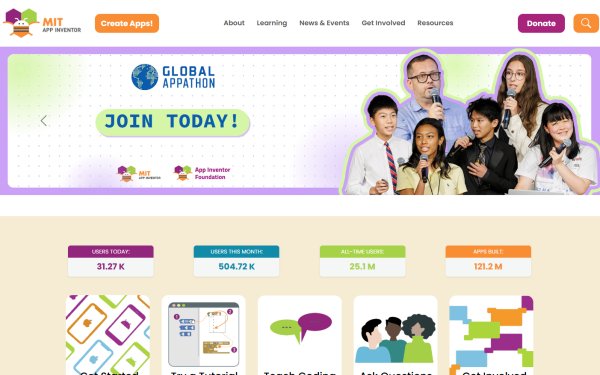
MIT App Inventor
MIT App Inventor is a free, intuitive block-based programming tool that allows students and educators to create fully functional mobile apps for Android and iOS devices. It empowers learners of all ages, particularly K-12, to engage in hands-on app development without prior coding experience, fostering creativity and problem-solving skills. Teachers can leverage App Inventor to introduce fundamental computer science concepts, computational thinking, and the engineering design process in an accessible and engaging manner. This platform supports a wide range of educational projects, making mobile learning development approachable for diverse classrooms.